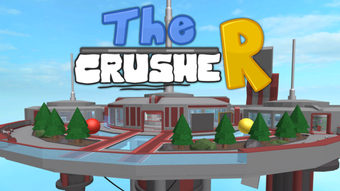

The CrusheR: Free Roblox Utility Tool
Overview
The CrusheR is a free desktop software tool designed for Roblox users, developed by TypicalType. Positioned within the 'Utilities' category, it aims to support gameplay by offering functionality tailored to the Roblox environment. The software is intended for individuals seeking supplementary tools to enhance their experience within the Roblox platform.
While specific use cases are not detailed, it likely serves purposes such as automation, asset management, or in-game assistance, typical of utility tools in this space. The target audience includes Roblox enthusiasts, particularly those interested in optimizing gameplay or streamlining repetitive tasks. The program was first published on Softonic on August 2, 2022, and is available in English, Spanish, and Portuguese, reflecting a multilingual approach to accessibility.
Although it is not a standalone game, it functions as a companion application that operates alongside the Roblox client. The developer did not provide additional context about the tool’s intended functionality beyond its category and purpose.
Key Features & Capabilities
- Roblox Integration – Designed to work with the Roblox platform, enabling users to access supplementary features directly from their desktop environment.
- Multi-Language Support – Available in English, Spanish, and Portuguese, making it accessible to a broader international audience.
- Utility-Driven Functionality – Falls under the 'Utilities' category, suggesting tools for automation, performance optimization, or in-game assistance.
- Lightweight Design – With a file size of 4.4 MB, it is compact and likely minimizes system resource consumption during operation.
- Free Access – No cost is associated with downloading or using the software, making it accessible to a wide user base.
Realistic usage examples include streamlining repetitive tasks during gameplay, managing in-game assets, or supporting automation workflows. The lightweight nature of the software suggests it may be suitable for users with limited system resources. Since it is not a game but a tool, it does not replace the Roblox client but instead complements it. The developer did not specify exact features, so functionality remains general. Users should expect a focused utility that operates in the background or alongside the main Roblox application.
User Interface, Workflow & Performance
The CrusheR features a straightforward user interface, consistent with typical utility software. Navigation is likely intuitive, with minimal onboarding required. The workflow is expected to be simple: launch the application, configure settings if needed, and begin using its core functions.
Given its small size and utility focus, it probably runs efficiently without significant impact on system performance. However, exact performance details were not specified by the developer. The software may operate in the background or integrate directly with the Roblox client interface.
Stability is assumed to be adequate for basic utility tasks, though no official reports on crashes or errors were provided. The developer did not specify resource usage details such as CPU or RAM consumption. Performance observations are based on general software behavior patterns for lightweight desktop applications.
Compatibility & System Requirements
The CrusheR is compatible with both Windows and Mac operating systems, as stated in the provided information. It is available in version 0, which may indicate an early or developmental release. The installation size is 4.4 MB, suggesting a minimal footprint on the user’s device.
The developer did not specify exact system requirements such as minimum RAM, processor speed, or disk space. Compatibility information was partially provided, with no details on supported Windows or Mac versions. The absence of detailed technical specifications means users should proceed with caution, especially on older or less powerful systems.
The software may function on a wide range of devices due to its small size, but this cannot be confirmed without further data.
Pros and Cons
Pros
- Free to download and use, with no hidden costs.
- Available in multiple languages: English, Spanish, and Portuguese.
- Small file size (4.4 MB) reduces storage demands.
- Designed for Roblox, offering targeted utility support.
- Compatible with both Windows and Mac platforms.
Cons
- Exact functionality and features were not disclosed by the developer.
- No detailed system requirements provided.
- Version 0 may indicate an unstable or early-stage release.
- Performance and stability data were not shared.
- Limited information on updates, support, or future development.
FAQ Section
Is The CrusheR compatible with my PC or Mac?
The software is compatible with both Windows and Mac operating systems. However, specific versions of these systems were not listed by the developer.
Is The CrusheR safe to use?
The software was published on Softonic, a third-party platform. While it is free and available for download, users should exercise caution when installing third-party tools for Roblox, as they may violate the platform’s terms of service.
Does The CrusheR require an internet connection?
It is not specified whether The CrusheR requires an active internet connection. The developer did not provide details on connectivity needs.
Can I update The CrusheR automatically?
Information about update mechanisms was not provided. Users should check the official source or platform for manual update options.
What license type does The CrusheR use?
The software is distributed as free, but the specific license terms were not disclosed in the available data.
Final Thoughts + CTA
The CrusheR presents itself as a lightweight, free utility tool for Roblox players, offering multilingual support and cross-platform compatibility. While its exact functionality remains unclear due to limited documentation, its compact size and free access make it an accessible option for users seeking supplemental tools. The lack of detailed system requirements, version stability, and feature descriptions poses some uncertainty, particularly for users concerned about performance and safety.
Still, its availability in three languages and support for both Windows and Mac are notable advantages. For Roblox enthusiasts open to third-party utilities, The CrusheR may serve as a useful addition. However, users should remain cautious, especially regarding compliance with Roblox’s terms of service.
Download The CrusheR now to explore its potential.







